
NETWORK SETUP
NETWORK SETUP
This page provides the essential guidance for configuring your Bricasti network-enabled component. Scroll down to explore connection options, recommended practices, and advice in achieving a stable, high-performance network operation.
CONNECT YOUR DEVICES TO YOUR WIRED NETWORK
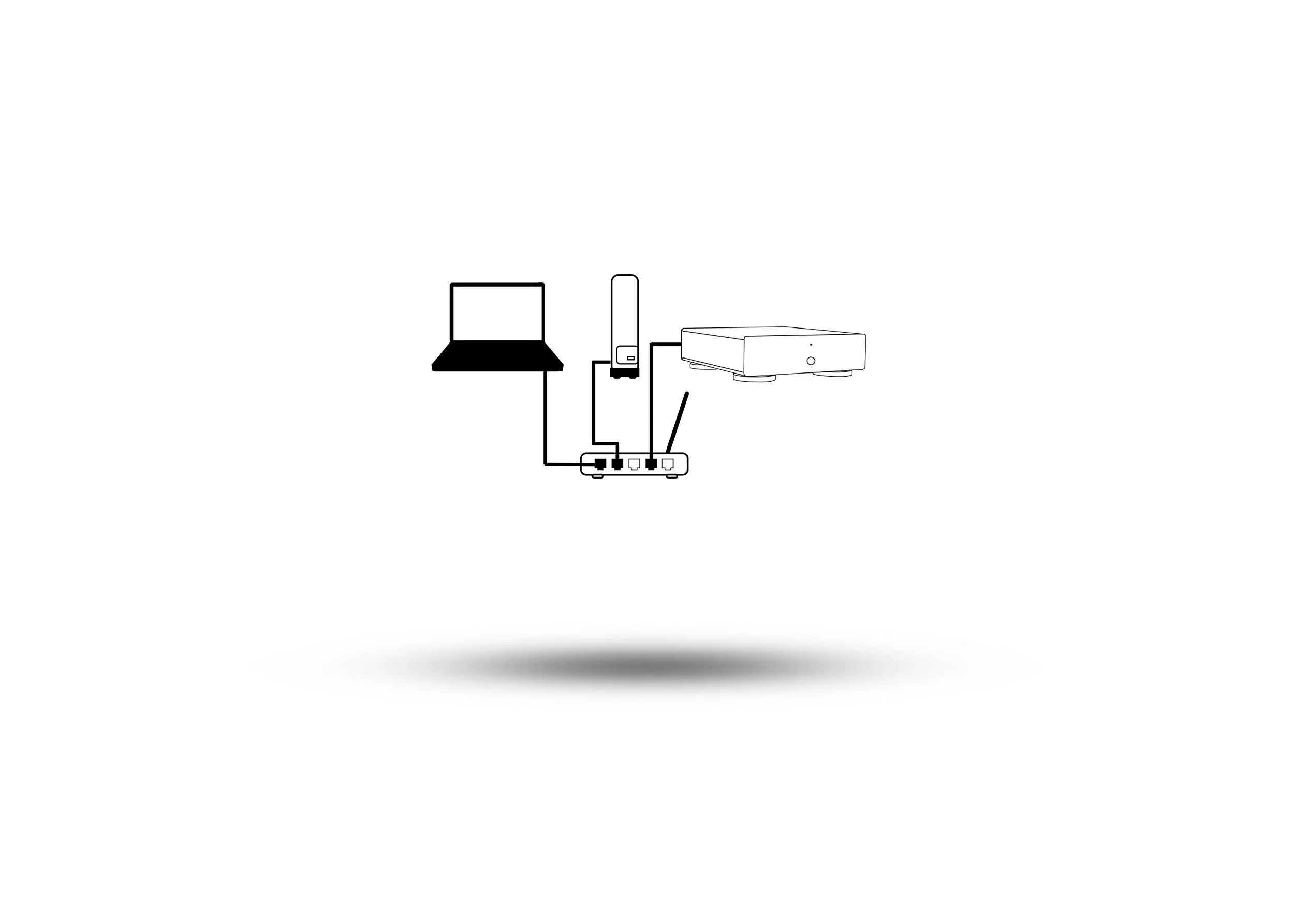
Turn on your computer / server and connect Ethernet cable from your computer / server to your router.
If using a NAS hard drive for your music files, connect Ethernet cable from external NAS hard drive to your router.
Connect Ethernet cable from network player to your router.
PLAYING NETWORK MUSIC
Once you have connected your devices you are ready to play audio over the network with any DLNA capable application on Mac, PC or server. We have tested the following applications with success:
FREQUENTLY ASKED QUESTIONS
-
No. A wired Ethernet connection is needed directly to your router as Apple does not offer open DLNA access for the purpose of network streaming wirelessly.
-
Yes. Windows supports open DNLA over WIFI although a wired connection should provide a more consistent user experience depending on the strength of your WIFI and other competing devices.
-
Yes. Your network switch does not replace your router and you must ensure that the network switch is connected to your systems main router in order to route the signal to the other devices.
-
Disable the WIFI on your PC to ensure the wired connection is being used to connect to the network. The sound coming from the network player is buffered so allow between 10-30 seconds before you can determine your preferred connection is enabled.
-
Try restarting the network player and possibly your music application on your computer. This should re-establish the network players connection to the network which can take a short moment.